


Word Search Inspiration
4.32.31K Reviews
App Specs
- Version
- 2606.0.6
- Updated On
- License
- Free
- Downloads
- 1,000,000+
- Developer
- Puzzle1Studio
- Categories
- Word
- Platform
- Android
Screenshots

 Analysis by AppCompare
I like word-search games most when they give me a quiet activity with just enough focus to keep my mind occupied. Word Search Inspiration fits that role well. It is a free word game from Puzzle1Studio built around themed searches, so I can open it for a short break, scan a grid, and stop without needing to remember a complicated story or learn a large set of rules. The basic idea is familiar, but the topic-based approach gives each puzzle a little more character than a completely random collection of letters.
After spending time with it, my impression is that this is best understood as a relaxed daily habit rather than a demanding brain-training program. The game is easy to start, suitable for Everyone, and available for Android devices running at least version 6.0 of the operating system. Its free entry point makes trying it simple, while optional purchases ranging from $0.99 to $99.99 per item mean that I would still pay attention to the purchase flow if I were handing the device to a child.
How the everyday puzzle loop feels
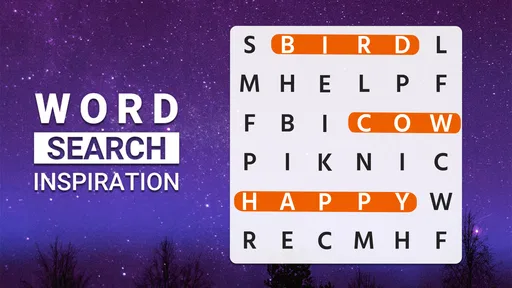
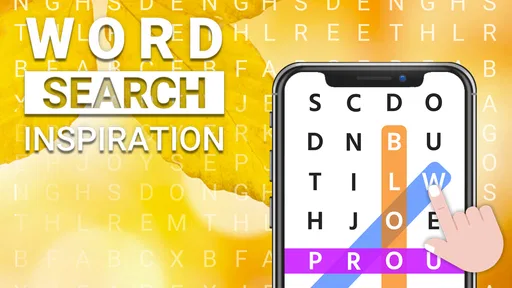
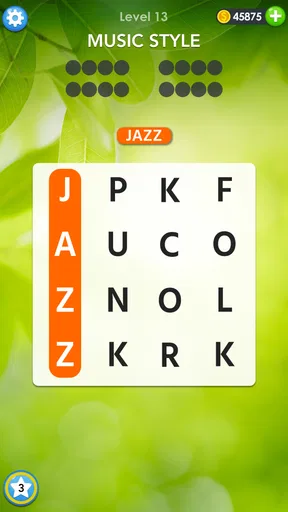
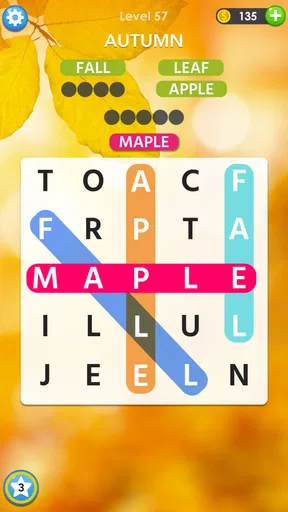
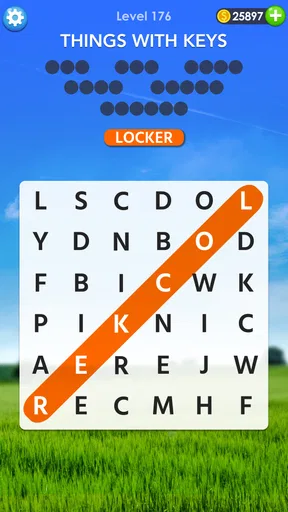
The normal workflow is pleasantly direct. I choose a puzzle, read its topic, and search the letter grid for the words connected with that subject. Words can be hidden in different directions, so the task is not just a matter of reading from left to right. I usually begin by scanning for unusual letters or longer words, then work through the shorter entries once the grid has fewer possibilities.
That order makes a real difference. Searching for every word from the first square can feel slow because the grid contains too many possible lines. Finding a distinctive word first gives me a visual anchor and helps reveal nearby patterns. Once I have located a few entries, the remaining letters become less intimidating, and I can switch from broad scanning to checking specific rows, columns, and diagonals.
A realistic use case is a short pause between errands or during a quiet evening. I can play one puzzle without committing to a long session, and the activity works well when I want something more engaging than scrolling but less intense than a competitive game. It also suits people who enjoy vocabulary practice through repetition, although it should not be mistaken for a structured language course. The words come through themed puzzles, not through lessons with explanations or pronunciation work.
The topic is more than decoration. It changes how I search because I can predict the kind of words likely to appear. If the subject suggests food, places, animals, or another recognizable group, I start with the longer and more distinctive terms associated with it. That makes the game feel less arbitrary than a plain grid of unrelated answers. At the same time, players who prefer completely unpredictable puzzles may find the themes make the search easier once they become familiar with the format.
The game has built a sizable audience, with an average rating of 4.3 from around 11 thousand ratings and more than a million installs. Those figures suggest that the straightforward format works for many casual players, but they do not change my main advice: judge it by the kind of concentration you want. If you enjoy calm pattern hunting, it is a natural fit. If you need a fast competitive challenge, its gentle pace may feel limited.
Worth Reading Before You Choose

EA SPORTS FC Mobile 26 Is a Bigger Football Game, but It Takes Time

Flipboard Shows What News Apps Must Do Beyond the Feed

Switching to Android Auto Means Rethinking Your Driving Routine

Google Calendar Makes a Crowded Week Easier to Manage

Ludo King Makes the Most of the Minutes Between Plans

Baby Panda World Brings Quick Play to Modern Phones, but Its Game Library Feels Busy
Settings and habits that make a difference
Before settling into regular play, I recommend checking the available settings rather than immediately starting a long run of puzzles. In a word-search game, small choices around sound, notifications, display behavior, or assistance can affect whether the experience feels restful or distracting. I do not treat every setting as something that must be changed; I simply prefer to make the game match the moment.
For a quiet break, I keep the surrounding phone environment under control and avoid letting a puzzle become another source of interruptions. For a family device, I would review purchase-related options before allowing independent play, because the game is free to download but includes optional items. The age rating of Everyone makes the content broadly accessible, yet an age rating does not replace sensible supervision around purchases.
Another useful habit is choosing a consistent session length. I often decide in advance that I will complete one puzzle or play until a short break ends. That prevents a relaxing activity from turning into aimless screen time. Because the game is easy to resume, it works especially well as a small routine after breakfast, before bed, or while waiting for an appointment.
I also avoid using help too early. When I am stuck, I first change my scanning method: I look for repeated letter shapes, inspect the edges, and search diagonally from both ends. Only after trying those approaches do I consider assistance if it is available in the current puzzle. This keeps the satisfaction of solving intact and makes the game feel more like a visual exercise than a sequence of prompts.
One practical point for new players is to consider screen size. On a larger phone or tablet, the grid is easier to inspect without accidentally dragging across the wrong letters. On a compact screen, I slow down and use deliberate movements instead of sweeping quickly. That is not a flaw unique to this title, but it matters here because accuracy and visual comfort are the whole experience.
Faster searching without turning it into a race
Experienced players can become noticeably quicker by using repeatable patterns. My first pass is usually a search for the longest word, since it has fewer possible starting positions and is easier to confirm. Next, I look for rare or visually distinctive letters. Then I check the borders, where a word may be easier to follow because there are fewer directions available.
I do not scan every line with the same intensity. Horizontal and vertical searches are faster when I am warming up, while diagonal words deserve a separate pass because they are easier to overlook. I also search from both ends of a likely word instead of assuming the first letter must be at the beginning of a row. This simple change prevents me from repeatedly missing reversed entries.
The theme can support a useful prediction loop. I read the word list, group entries by length, and mentally mark words with uncommon letter combinations. If two answers share several letters, I search for the more distinctive one first. After finding it, I inspect the surrounding area for the other entry. This is more efficient than treating every answer as an isolated hunt.
Another technique is to use found words as landmarks. Once a line has been marked, I examine nearby rows and diagonals rather than returning to the whole grid. The visual clutter is reduced, and I can focus on a smaller region. This is particularly helpful when several answers cross or sit close together, because one discovery can point toward another without any need for guessing.
These methods improve speed, but I would not use them to judge the game as if it were a timed tournament. The appeal is the balance between attention and relaxation. I sometimes deliberately slow down, especially when playing late in the day. A faster method is useful when I want a compact break; a slower search is better when I want the puzzle to occupy my attention for longer.
Where the format starts to show its limits
The familiar rules are also the main limitation. Once I understand the usual search patterns, the basic interaction does not offer the same variety as a word game with an evolving campaign, competitive rounds, or deeper vocabulary mechanics. The themed structure adds context, but it does not transform the genre. Players looking for narrative progression or a complex strategic system should look elsewhere.
The game is also not ideal for everyone who wants to improve language skills. It can reinforce recognition of words and spelling, but it does not necessarily explain definitions, usage, grammar, or pronunciation. I would recommend it as a light supplement for vocabulary exposure, not as a replacement for a dictionary, flashcard system, or language-learning course.
Visual searching can become tiring during long sessions. When I notice myself sweeping across the same lines without seeing anything, I take a break instead of forcing the puzzle. The game is relaxing only while the screen remains comfortable and the task feels voluntary. On a small display, players with visual strain may prefer a larger device or shorter sessions.
There is also a difference between free access and a completely cost-free experience. The game can be played without an upfront price, but optional in-app purchases are present. I appreciate being able to try the core format first, yet I would not assume that every convenience or extra is included simply because the download is free. Anyone managing family spending should check the device’s purchase controls before regular use.
The current version is 2606.0.6, and the game comes from Puzzle1Studio, a developer focused here on a simple word-search experience rather than a large multi-genre system. I would keep the app updated through the normal platform process, especially if I rely on it regularly, but I would not expect an update number alone to change the basic character of the game. Its appeal comes from the repeatable puzzle loop, not from a complicated feature stack.
Who should choose it over familiar alternatives?
Compared with a paper word-search book, this game is more convenient when I want a puzzle immediately and do not want to carry anything. The digital format also makes it easier to fit a search into a waiting period. Paper still has advantages for people who prefer a screen-free activity, want to mark pages physically, or dislike touch controls. I would choose the app for portability and the book for a slower, more tactile session.
Compared with crossword games, the mental demand is different. A crossword asks me to retrieve answers from clues and manage intersecting entries, while this title focuses more on visual recognition and directional scanning. If I enjoy solving definitions, I would probably find a crossword more rewarding. If I want a low-pressure puzzle with no need to generate answers from clues, this format is friendlier.
Compared with anagram or spelling games, the experience is less about rearranging letters and more about finding complete words hidden in context. That makes it accessible when I am tired, but it may feel too passive for players who want to build words actively. I see it as a good middle ground between a purely visual pastime and a demanding vocabulary challenge.
The best audience is someone who likes themed word puzzles, short sessions, and gradual improvement through familiar search habits. Families may appreciate the Everyone rating, while adults can use it as a quiet way to reset their attention. I would skip it if my priority is head-to-head competition, detailed language instruction, deep progression, or a strong sense of discovery beyond the grid.
My verdict after building a repeatable routine
Word Search Inspiration succeeds because it knows what it wants to be: a calm, approachable word game that turns themed lists into focused searches. I enjoy the fact that I can start quickly, apply a few reliable techniques, and stop whenever I choose. The experience does not demand a tutorial-heavy commitment, and its free price makes the first test easy.
For the best results, I would begin with one puzzle at a time, check the settings that affect comfort and spending, search long or distinctive words first, and use the theme to narrow my expectations. I would also keep sessions short if the display feels tiring and avoid using assistance before trying a second scanning pattern. Those habits make the game more satisfying without pretending that it offers advanced systems it does not need.
My recommendation is positive but specific. This is a strong choice for relaxed word-search sessions and a convenient alternative to carrying a puzzle book. It is less suitable for players seeking competition, narrative, or serious language study. With that expectation in place, the game delivers a simple routine I can return to when I want my attention occupied without being overwhelmed.
In the end, its greatest strength is consistency. I know what kind of activity I am opening, and the topic-based structure gives the familiar grid enough direction to remain inviting. If you want a gentle daily puzzle rather than a demanding game system, this is worth trying.
Pros
- Large word library keeps puzzles varied and replayable.
- Clean interface makes the game easy to navigate.
- Helpful hints assist when a puzzle becomes difficult.
- Suitable for short sessions during commutes or breaks.
- Relaxing gameplay can help improve spelling and vocabulary.
Cons
- Some puzzles may feel repetitive after extended play.
- Hints and extra features may require in-app purchases.
- Advertising can interrupt the flow between puzzles.
- Difficulty may not increase consistently across all levels.
- Offline availability may vary for certain content or features.
FAQs for Word Search Inspiration
What is Word Search Inspiration?
Word Search Inspiration is a relaxing word puzzle game built around classic word-search gameplay. You look for hidden words in a grid of letters by swiping across them horizontally, vertically, or diagonally. The game is designed for short sessions as well as longer play, making it suitable for players who enjoy vocabulary challenges, casual brain training, and a calm alternative to more competitive mobile games.
How do you play Word Search Inspiration?
Each puzzle presents a collection of letters and a list of words to find. To complete a level, you identify the listed words and drag your finger from the first letter to the last one. Words may appear in different directions, so carefully checking the entire grid is important. As you progress, puzzles can become more challenging through larger grids, less obvious word placement, or more demanding themes.
Does Word Search Inspiration work offline?
Many word-search games allow previously available puzzles to be played without a constant internet connection, which can make them useful during travel or when mobile data is limited. However, features such as advertisements, cloud synchronization, updates, rewards, or newly downloaded content may require internet access. It is best to open the game online first and check which sections remain available when the connection is disabled.
Is Word Search Inspiration free to download and play?
Word Search Inspiration can generally be downloaded without an upfront purchase, but free access may include advertising, optional in-app purchases, or limitations on certain features. Depending on the version and device, purchases may provide hints, remove advertisements, unlock content, or support additional gameplay options. Before confirming any transaction, review the store listing and the purchase details shown inside the application.
Is Word Search Inspiration suitable for children and adults?
The straightforward controls and familiar word-search format make Word Search Inspiration suitable for a broad range of players, including adults, older children, and anyone looking for a low-pressure puzzle experience. Parents should still review the app-store age rating, advertising policy, and any in-app purchase settings before allowing younger users to play. Difficulty and vocabulary may vary between levels or themes.


